

 Post by
Cardboard Label Tag Mockup: The Complete Guide to Professional Branding and Product Presentation
Discover everything about cardboard label tag mockups, editable PSD templates, Smart Objects, branding presentations, apparel labels, packaging design, and professional product visualization. Learn how to create realistic mockups for fashion, retail, and packaging.
Cardboard Label Tag Mockup: The Complete Guide to Professional Branding and Product Presentation
In today’s competitive branding landscape, presentation matters almost as much as the product itself. Whether you’re launching a clothing line, introducing a new packaging concept, or preparing a client presentation, a professionally designed Cardboard Label Tag Mockup helps transform a simple design into something that looks ready for production.
Rather than printing physical prototypes for every revision, designers rely on realistic digital mockups to showcase labels, logos, textures, and packaging ideas. A premium Hang Tag Mockup enables brands to visualize how their artwork will appear on actual products before manufacturing begins. This saves time, reduces production costs, and improves communication with clients.
Modern mockups are much more than static images. Today’s Label Tag PSD files feature editable Smart Object layers, organized Smart Layer structures, and fully Layered PSD files that make customization quick and intuitive—even for beginners using Adobe Photoshop Mockup templates.
Whether you’re working on Fashion Branding, luxury packaging, handmade goods, cosmetics, accessories, or retail products, the right mockup instantly enhances your portfolio and creates confidence in your designs.
This comprehensive guide explains everything you need to know about cardboard tag mockups, their benefits, professional features, and why they remain one of the most valuable assets in every designer’s toolkit.
What Is a Cardboard Label Tag Mockup?
A Cardboard Label Tag Mockup is a realistic digital template used to display branding designs on paper or cardboard product tags before they are printed.
Instead of imagining how a logo or product label might look after production, designers can insert their artwork into a mockup and instantly create a photorealistic preview. This visual representation helps businesses make informed design decisions while impressing clients, stakeholders, and customers.
These mockups often feature premium Cardboard Texture materials with authentic lighting, realistic shadows, and carefully crafted perspectives that closely resemble professionally photographed products.
Most professional mockups include editable Layered PSD files. Because every design element is separated into organized layers, users can customize nearly every aspect of the presentation without affecting image quality.
One of the biggest advantages is the inclusion of Smart Object functionality. Designers simply double-click the Smart Object layer, paste their artwork, save the file, and Photoshop automatically updates the presentation.
Many premium templates also organize every element inside dedicated Smart Layer folders, making editing clean, efficient, and beginner-friendly.
Why Cardboard Tags Continue to Matter
Although digital shopping has grown dramatically, physical branding remains essential. Every premium product still benefits from thoughtfully designed tags that communicate quality, authenticity, and professionalism.
Examples include:
- Clothing collections
- Handmade crafts
- Luxury accessories
- Gift products
- Jewelry
- Cosmetics
- Home décor
- Organic products
- Retail merchandise
- Limited edition collections
A well-designed Kraft Paper Tag communicates sustainability while reinforcing a handcrafted, natural aesthetic. Brands focused on environmentally responsible packaging often choose kraft materials because consumers associate them with authenticity and eco-conscious values.
Likewise, a professionally presented Paper Label Mockup allows businesses to evaluate typography, logo placement, spacing, and print balance long before production begins.
Why Designers and Brands Use Cardboard Label Tag Mockups
Professional mockups are not just presentation tools—they are decision-making tools.
Instead of approving flat artwork, clients prefer seeing designs in realistic environments.
Imagine presenting two logo concepts:
- A simple white background
- A premium Photorealistic Mockup
The second option almost always creates a stronger impression because it helps viewers imagine the finished product.
This is why agencies invest heavily in high-quality Editable Mockup collections.
Some major advantages include:
Faster Client Approvals
Realistic previews reduce uncertainty. Clients immediately understand how branding will appear in real life.
Professional Portfolio Presentation
Design portfolios become significantly more impressive when artwork is displayed using elegant Branding Presentation templates instead of plain JPEG files.
Employers and potential clients often judge designers by presentation quality before examining the design itself.
Better Product Visualization
A realistic Logo Presentation helps businesses evaluate:
- Size
- Alignment
- Color balance
- Contrast
- Material compatibility
before investing in production.
Cost Savings
Printing prototypes repeatedly can become expensive.
Using editable PSD mockups eliminates unnecessary production costs while allowing unlimited revisions.
Marketing Content Creation
Businesses frequently use mockups for:
- Product launches
- Landing pages
- Social media
- Online stores
- Investor presentations
- Brand guidelines
This makes a quality Packaging Mockup a valuable long-term asset rather than a one-time design file.
Different Types of Cardboard Label Tags
Not every tag serves the same purpose. Depending on your industry, you’ll encounter different styles designed for specific branding goals.
Clothing Hang Tags
The most recognizable example is the Clothing Hang Tag.
These tags are commonly attached to:
- T-shirts
- Jackets
- Jeans
- Dresses
- Luxury apparel
- Footwear
Fashion brands use them to display:
- Brand identity
- Pricing
- Material information
- Size
- Care instructions
- QR codes
- Sustainability messaging
A realistic Clothing Label Mockup helps visualize all these elements before printing.
Retail Price Tags
Retail environments require informative labels that communicate pricing while maintaining brand consistency.
A Price Tag Mockup allows businesses to experiment with:
- Typography
- Discount badges
- Seasonal campaigns
- Promotional layouts
- Color variations
before releasing products.
Product Tags
Many businesses rely on a versatile Product Tag Mockup to showcase packaging concepts across multiple industries.
These include:
- Coffee
- Chocolate
- Handmade soap
- Candles
- Cosmetics
- Gourmet food
- Premium gifts
Such mockups allow companies to evaluate branding without manufacturing physical samples.
Rectangle Labels
One of the most commonly used formats is the Rectangle Label Tag because it provides ample space for branding, product information, and marketing messages.
Its clean geometry also makes it suitable for both luxury and minimalist designs.
Die-Cut Designs
Brands seeking a distinctive identity often choose a Die-Cut Tag with custom shapes instead of standard rectangles.
Unique silhouettes increase shelf visibility and strengthen brand recognition while adding a premium feel to product packaging.
Rustic String Tags
Many mockups include realistic Twine String Tag elements that enhance authenticity.
Twine pairs naturally with kraft paper and is especially popular for:
- Handmade products
- Artisan goods
- Organic food
- Wedding stationery
- Boutique fashion
- Gift packaging
Combined with premium lighting and natural materials, twine creates an elegant handcrafted appearance.
Why Kraft Paper Remains a Popular Choice
One noticeable trend in modern packaging is the widespread use of Kraft Texture materials.
Consumers increasingly appreciate brands that communicate sustainability through design rather than words alone.
Natural kraft paper offers several advantages:
- Premium appearance
- Recyclable material
- Rustic elegance
- Excellent print compatibility
- Strong eco-friendly perception
Because of these qualities, kraft paper has become the preferred choice for Eco-Friendly Packaging across many industries.
From boutique clothing brands to luxury coffee companies, kraft labels instantly communicate craftsmanship and authenticity.
Essential Features, Branding Applications, and Choosing the Best Cardboard Label Tag Mockup
A professionally designed mockup does much more than display a logo on a tag. The best mockups replicate real-world materials, lighting, shadows, and perspectives so accurately that viewers often mistake them for product photographs. Whether you’re preparing a client presentation, building an online portfolio, or launching a new brand, choosing the right mockup can dramatically influence how your design is perceived.
In this section, we’ll explore the features that distinguish premium mockups from ordinary templates, practical branding applications across industries, and tips for selecting the ideal PSD for your workflow.
Essential Features of a Professional Cardboard Label Tag Mockup
Not all PSD mockups are created equally. While free templates can be useful for quick concepts, premium files often save hours of editing and produce far more realistic results.
Here are the features you should look for before downloading or purchasing a mockup.
1. High-Resolution PSD for Crisp Presentations
One of the first things professionals check is image resolution.
A premium High-Resolution PSD ensures that every paper fiber, shadow, and edge remains sharp, even when used for:
- Client presentations
- Website hero banners
- Behance case studies
- Print advertisements
- Large-format displays
- Marketing brochures
Low-resolution mockups may appear acceptable on a small screen but quickly lose quality when enlarged. High-resolution files preserve fine details, making your branding appear polished and production-ready.
2. Fully Editable Mockups
Flexibility is essential during the design process.
An Editable Mockup allows you to change virtually every visual element without rebuilding the scene from scratch. Common editable components include:
- Logo artwork
- Text
- Label graphics
- Tag color
- String color
- Background texture
- Shadow intensity
- Perspective
- Paper finish
This level of customization enables designers to experiment with multiple concepts quickly, helping clients compare options before making a final decision.
3. Customizable Colors for Brand Consistency
Every brand has a unique visual identity. A premium mockup should support Customizable Colors, allowing you to match your client’s color palette perfectly.
For example:
- A luxury jewelry brand might use matte black with gold foil.
- An organic skincare company may prefer earthy kraft brown with forest green accents.
- A children’s clothing brand could opt for pastel tones with playful illustrations.
Being able to adjust colors instantly makes the same mockup suitable for dozens of different industries.
4. Editable Background Options
The environment surrounding your tag influences the overall mood of the presentation.
Professional PSDs often include an Editable Background, allowing designers to replace or modify surfaces without affecting the product itself.
Popular background choices include:
- Wooden tables
- Marble slabs
- Linen fabric
- Recycled paper
- Stone surfaces
- Neutral studio settings
This flexibility ensures that the mockup complements the product rather than distracting from it.
5. Realistic Lighting and Shadow Effects
One hallmark of a premium PSD is its attention to light.
Subtle highlights and Realistic Shadow Effects create depth, making the tag appear naturally placed within the scene rather than floating above it.
Good lighting also enhances:
- Material texture
- Logo visibility
- Color accuracy
- Overall realism
These details may seem minor, but they significantly improve the professionalism of your final presentation.
Why Texture Matters in Mockup Design
Physical materials communicate quality before customers even read the text on a label.
A well-crafted mockup should accurately reproduce paper fibers, surface imperfections, and natural wear to make the design believable.
Cardboard Texture
The Cardboard Texture is one of the defining characteristics of premium label mockups.
Instead of appearing perfectly smooth, realistic cardboard includes subtle fibers, tiny imperfections, and natural color variations. These details help communicate authenticity and craftsmanship, especially for artisan products.
Textured Background
A thoughtfully chosen Textured Background adds context without overwhelming the design.
For example:
- Handmade soap brands often use linen or wood.
- Coffee packaging pairs well with burlap or reclaimed timber.
- Boutique clothing labels look elegant on stone or neutral fabric.
These textures reinforce the product’s personality and create stronger emotional connections with viewers.
Concrete Surface Mockup
Among modern branding trends, the Concrete Surface Mockup has become especially popular.
Concrete provides:
- Minimalist aesthetics
- Contemporary appeal
- Neutral contrast
- Professional studio atmosphere
Luxury apparel, architecture firms, cosmetic brands, and premium accessories frequently use concrete backgrounds because they allow the product to remain the visual focus while adding subtle sophistication.
Branding Applications Across Industries
A cardboard tag is much more than a price label. It represents the personality of a brand, communicates quality, and often serves as a customer’s first physical interaction with a product.
Let’s look at how different industries benefit from professional tag mockups.
Fashion Branding
The fashion industry depends heavily on presentation.
A carefully designed Fashion Branding project includes:
- Logo placement
- Typography
- Premium materials
- Tag shape
- Color harmony
- Fabric compatibility
Before printing thousands of tags, designers use mockups to evaluate how branding appears on actual garments.
Luxury brands often test multiple concepts to determine which design best communicates exclusivity and craftsmanship.
Apparel Branding Mockups
Every clothing collection deserves a professional presentation.
An Apparel Branding Mockup enables designers to showcase complete branding systems that may include:
- Hang tags
- Neck labels
- Packaging
- Shopping bags
- Tissue paper
- Stickers
- Business cards
Displaying these assets together creates a cohesive visual identity that clients and stakeholders can easily understand.
Product Packaging Design
Tags rarely exist in isolation. They are usually part of a broader Product Packaging Design strategy.
For example, a premium coffee company might combine:
- A kraft paper bag
- A cardboard hang tag
- Custom stickers
- Printed shipping boxes
- Thank-you cards
Seeing these elements together helps ensure consistency across every customer touchpoint.
Packaging Mockups for Product Launches
Businesses increasingly rely on a realistic Packaging Mockup when preparing:
- Kickstarter campaigns
- Investor decks
- E-commerce listings
- Social media teasers
- Advertising materials
Instead of waiting for physical samples, marketing teams can begin promoting products using realistic digital presentations.
Print Branding Mockups
Designers often prepare multiple print assets simultaneously.
A Print Branding Mockup may include:
- Labels
- Flyers
- Packaging inserts
- Shopping bags
- Stickers
- Product tags
- Business cards
Presenting all materials within one visual system demonstrates consistency and professionalism.
Stationery Branding
Many businesses extend their identity beyond packaging.
A cohesive Stationery Branding system can include:
- Letterheads
- Envelopes
- Notebooks
- Business cards
- Presentation folders
- Product tags
Showing these assets together reassures clients that every aspect of the brand has been thoughtfully designed.
Building an Effective Brand Identity Presentation
When pitching a branding project, showing a flat logo on a white background is rarely enough.
A compelling Brand Identity Presentation tells a complete visual story by demonstrating how the brand functions across real-world applications.
For example, a presentation might feature:
- The logo on a cardboard tag
- Packaging concepts
- Shopping bags
- Product labels
- Business stationery
- Social media graphics
- Website previews
This approach helps clients visualize the brand in everyday use, making approval decisions easier and more confident.
Minimal vs. Vintage Design Styles
Choosing the right design style depends on the target audience and the personality of the brand.
Minimal Label Mockup
A Minimal Label Mockup focuses on simplicity.
Characteristics include:
- Clean typography
- Plenty of white space
- Neutral colors
- Subtle textures
- Elegant layouts
Minimalism works particularly well for luxury fashion, premium skincare, technology products, and contemporary lifestyle brands.
Vintage Label Mockup
For brands that emphasize heritage, craftsmanship, or nostalgia, a Vintage Label Mockup creates a completely different emotional response.
Common features include:
- Distressed textures
- Classic serif typography
- Decorative borders
- Aged kraft paper
- Traditional printing styles
Vintage aesthetics are especially effective for:
- Artisan coffee
- Handmade candles
- Leather goods
- Craft breweries
- Organic products
- Boutique gift shops
Merchandise Tag Mockups for Modern Retail
Retail businesses often produce seasonal collections, promotional products, and limited editions.
A Merchandise Tag Mockup allows designers to quickly visualize branding across:
- Apparel
- Tote bags
- Hats
- Accessories
- Gift items
- Corporate merchandise
Since the artwork can be updated within minutes, the same PSD becomes a valuable long-term resource for multiple campaigns.
Choosing the Right Cardboard Label Tag Mockup
With thousands of mockups available online, selecting the right one can feel overwhelming. Consider the following checklist before making your choice:
- ✔ High-resolution files suitable for print and web
- ✔ Organized layered PSD structure
- ✔ Smart Object support for quick editing
- ✔ Realistic paper and cardboard textures
- ✔ Adjustable lighting and shadows
- ✔ Editable backgrounds
- ✔ Customizable colors
- ✔ Commercial usage rights (if needed)
- ✔ Multiple viewing angles
- ✔ Clean, photorealistic presentation
A well-crafted mockup is more than just a design asset—it becomes a reusable branding tool that saves time across future projects.
How to Customize a Cardboard Label Tag Mockup Like a Professional, Common Mistakes, FAQs, and Final Thoughts
Creating a stunning product presentation isn’t just about downloading a premium PSD. The real value comes from how effectively you customize the mockup to reflect your brand identity. From choosing the right colors and textures to maintaining realistic lighting, every detail contributes to a polished and convincing result.
Whether you’re a freelance designer, creative agency, fashion startup, or eCommerce business owner, following a professional workflow will help you produce presentations that stand out.
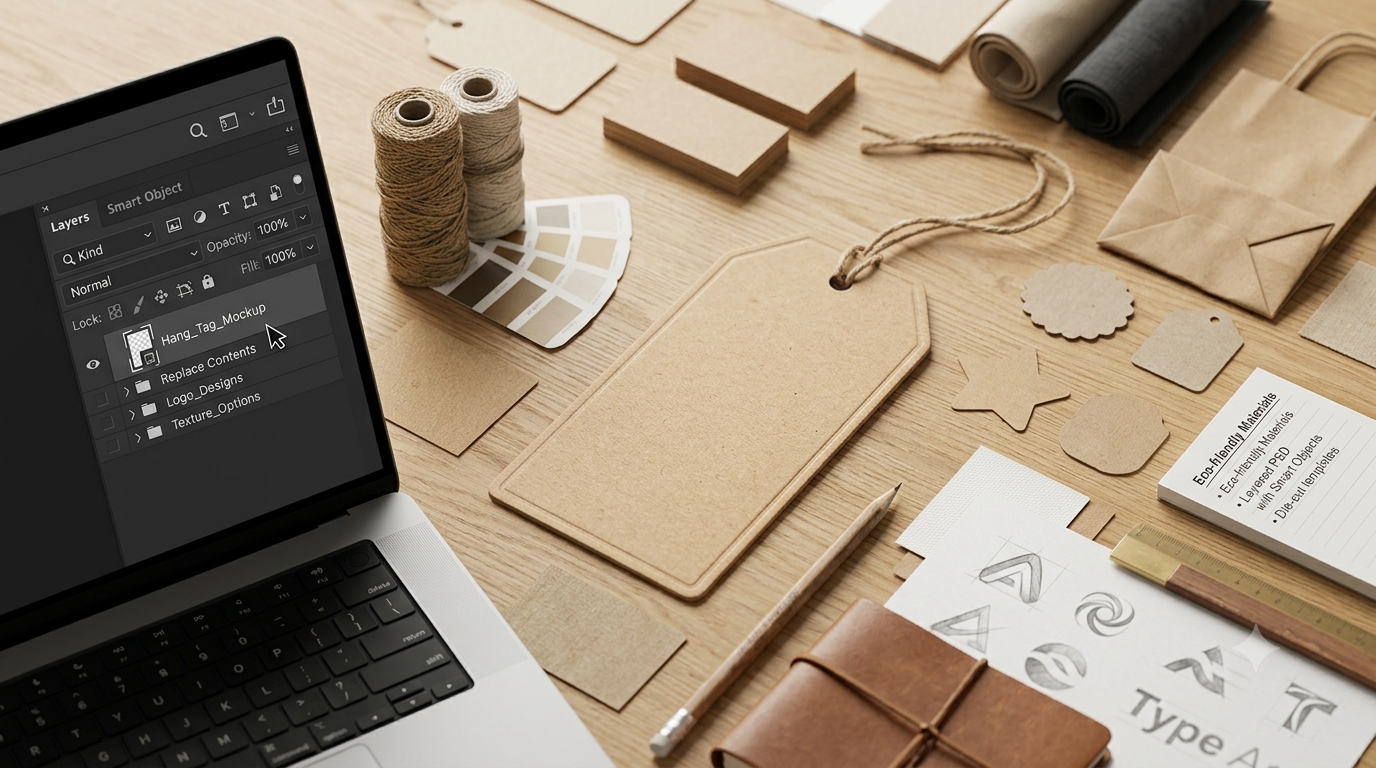
How to Customize a Cardboard Label Tag Mockup in Photoshop
One of the biggest advantages of modern PSD mockups is how simple they are to edit. Most premium files are designed for users of all skill levels, making customization quick and efficient.
Step 1: Open the PSD File
Begin by opening your downloaded Adobe Photoshop Mockup in Photoshop.
Before making any changes, review the layer structure. Premium templates typically include:
- Organized folders
- Clearly labeled layers
- Editable backgrounds
- Shadow layers
- Highlight layers
- Color adjustment groups
A well-organized PSD significantly reduces editing time.
Step 2: Replace the Design Using Smart Object
Locate the Smart Object layer.
Double-click the Smart Object thumbnail to open a separate editing window.
Inside that window:
- Paste your logo
- Add typography
- Insert illustrations
- Include product information
- Save the file
Once you return to the main PSD, your artwork automatically appears on the tag while preserving perspective, lighting, and realism.
This is one of the reasons designers prefer mockups that use Smart Objects—they eliminate the need for manual transformations.
Step 3: Edit Smart Layers
Many premium files also include organized Smart Layer folders.
These allow you to independently modify:
- Background elements
- Paper colors
- Strings
- Shadows
- Textures
- Decorative objects
Because each component is separated, experimentation becomes much easier.
Step 4: Adjust Colors
Use the Customizable Colors options to align the mockup with your brand guidelines.
For example:
- Luxury brands often choose black, charcoal, or gold.
- Eco-conscious companies frequently use kraft brown, green, and beige.
- Children’s products may feature bright, playful color palettes.
Maintaining consistent brand colors across every asset strengthens brand recognition.
Step 5: Refine the Background
If the PSD supports an Editable Background, try several options before making a final decision.
Ask yourself:
- Does the background complement the product?
- Is there enough contrast?
- Does it reinforce the brand personality?
Neutral environments often perform best because they keep attention focused on the tag itself.
Step 6: Preserve Natural Lighting
Avoid excessive editing that destroys realism.
Professional mockups already include carefully balanced lighting and Realistic Shadow Effects. Heavy adjustments can make the tag appear artificial.
Instead, make subtle refinements that preserve the natural appearance of the scene.
Professional Tips for Better Mockup Presentations
Small improvements can dramatically increase the quality of your presentations.
Keep Typography Readable
Avoid overly decorative fonts that become difficult to read on small tags.
Instead, use clean typefaces that maintain clarity while reflecting your brand personality.
Use High-Quality Logos
Never stretch low-resolution artwork.
Vector files (AI, EPS, SVG, or PDF) produce the sharpest results when placed into PSD mockups.
Maintain Consistent Branding
If you’re presenting multiple branding assets, ensure they share:
- Color palette
- Typography
- Logo positioning
- Graphic style
- Material selection
Consistency builds trust and professionalism.
Match the Brand Personality
A rustic coffee company and a luxury fashion brand should not use the same presentation style.
Choose mockups that support your desired visual identity.
For example:
- Organic brands benefit from kraft paper and natural textures.
- Premium fashion brands often look best with minimalist studio scenes.
- Handmade products pair well with warm wooden backgrounds and twine.
Common Mistakes to Avoid
Even experienced designers occasionally overlook details that reduce the impact of an otherwise excellent presentation.
Using Low-Resolution Artwork
Blurry logos immediately reduce perceived quality.
Always export artwork at sufficient resolution before placing it into the PSD.
Overediting Shadows
Many users increase contrast or shadow intensity excessively.
Natural lighting always appears more convincing than dramatic edits.
Ignoring Material Realism
A cardboard tag should still look like cardboard.
Avoid unrealistic metallic gradients or glossy effects unless they accurately represent the intended production method.
Choosing the Wrong Background
An overly busy scene competes with your design.
Simple compositions usually create stronger presentations.
Forgetting Print Considerations
Remember that mockups are visual representations.
Before production, verify:
- Bleed settings
- Safe margins
- Print resolution
- CMYK colors
- Paper thickness
These details ensure the printed product matches the digital concept.
Best Industries for Cardboard Label Tag Mockups
Although fashion brands use these mockups most frequently, many industries benefit from realistic product tag presentations.
Popular applications include:
- Clothing and apparel
- Handmade crafts
- Jewelry
- Leather goods
- Cosmetics
- Skincare
- Coffee packaging
- Tea brands
- Organic food
- Gourmet products
- Gift shops
- Home décor
- Boutique retail
- Artisan candles
- Luxury accessories
- Promotional merchandise
- Sustainable packaging
Their versatility makes cardboard tag mockups valuable for businesses of every size.
Frequently Asked Questions
What is a cardboard label tag mockup?
A cardboard label tag mockup is a realistic PSD template that allows designers to preview branding, logos, and product information on a digital cardboard tag before printing.
Why are Smart Objects important?
Smart Objects let you replace artwork with just a few clicks while automatically preserving perspective, lighting, and proportions.
Can beginners use PSD mockups?
Yes. Most modern mockups are designed with organized layers and clear instructions, making them accessible even for users with limited Photoshop experience.
Are cardboard tag mockups suitable for commercial projects?
Many premium mockups include commercial licenses. Always review the licensing terms before using a template in client work or commercial marketing materials.
Why do fashion brands rely on hang tag mockups?
Fashion companies use hang tag mockups to visualize branding, pricing, care information, and product identity before investing in large-scale printing.
Are kraft paper tags still popular?
Absolutely. Kraft paper continues to be one of the most popular materials because it communicates authenticity, sustainability, and premium craftsmanship while supporting environmentally responsible branding.
Final Thoughts
A professionally designed Cardboard Label Tag Mockup is far more than a simple presentation template—it is an essential branding asset that helps transform flat artwork into realistic, production-ready visuals. Whether you’re showcasing a Kraft Paper Tag, refining a Clothing Label Mockup, or presenting a complete Product Packaging Design, high-quality mockups make your concepts easier to understand and more compelling to clients and customers alike.
Throughout this guide, we’ve explored how features such as Layered PSD files, Smart Object editing, Smart Layer organization, Editable Mockup options, and High-Resolution PSD quality streamline the design process. We’ve also looked at the importance of Cardboard Texture, Textured Background scenes, Concrete Surface Mockup settings, and Realistic Shadow Effects in creating presentations that feel authentic and visually engaging.
Whether your focus is Fashion Branding, Retail Tag Design, Brand Identity Presentation, Stationery Branding, Print Branding Mockup, or Eco-Friendly Packaging, investing in high-quality mockups can improve your workflow, strengthen client presentations, and elevate your portfolio.
As branding becomes increasingly competitive, the smallest details often make the biggest difference. A thoughtfully crafted tag can reinforce product quality, communicate your brand story, and leave a lasting impression long before a customer opens the package.
If you’re serious about creating professional presentations, build a library of versatile cardboard label tag mockups with editable PSD files, customizable backgrounds, and realistic materials. They will continue to save time, improve consistency, and help every branding project look its absolute best.
Also Read: T-Shirt with Hanger Mockup: Complete Guide to PSD Mockups, Branding & Product Presentation