
 Post by
Stand Banner Mockup: Complete Guide to PSD Templates, X-Stand & Roll-Up Banner Mockups (2026)
Discover everything about Stand Banner Mockup files, including X-Stand Banner Mockup, Roll-Up Banner Mockup, Standee Mockup, editable PSD templates, Smart Objects, and professional branding presentations. Learn how to create realistic banner designs with ease.
Stand Banner Mockup: The Ultimate Guide to Professional Banner Presentations
A great banner design deserves more than a flat image on a screen. Whether you’re creating promotional materials for a trade show, designing marketing assets for a client, or showcasing your portfolio, presenting your work realistically can make all the difference. That’s exactly where a Stand Banner Mockup becomes an essential part of every designer’s toolkit.
Instead of printing multiple prototypes, designers can use a high-quality Banner Stand PSD to visualize how artwork will look in real-life environments. Modern mockups allow you to replace placeholder graphics instantly using a Smart Object, making the entire process fast, professional, and highly efficient.
Today, businesses rely heavily on banners for product launches, conferences, exhibitions, retail promotions, and corporate branding. A well-designed Vertical Banner Mockup not only helps clients approve designs faster but also creates stunning portfolio presentations that attract more customers.
From freelancers and agencies to print shops and marketing teams, everyone benefits from realistic mockups. Whether you’re preparing a Branding Presentation, creating a sales pitch, or designing an Advertising Banner Display, a professional PSD mockup helps communicate your vision before anything goes to print.
In this comprehensive guide, you’ll learn everything about stand banner mockups—from understanding different banner types to selecting the right PSD templates for your projects. Along the way, we’ll also share practical tips used by experienced designers to create polished presentations that impress clients and increase conversions.
What Is a Stand Banner Mockup?
A Stand Banner Mockup is a realistic digital representation of a printed banner displayed on its physical stand. Instead of imagining how a design might appear after printing, designers can instantly preview the finished result using an editable PSD template.
Think of it as a virtual prototype.
You simply open the PSD file in Adobe Photoshop, replace the placeholder artwork through a Smart Object, save the file, and your banner automatically updates with realistic lighting, perspective, and shadows.
This process eliminates guesswork while helping clients visualize the final product before production begins.
Modern mockups are much more than simple image placeholders. Most premium templates include:
- Layered PSD files
- Well-organized Smart Layers
- Fully editable backgrounds
- High-quality lighting effects
- Realistic textures
- Editable shadows
- Print-ready proportions
The result is a presentation that closely resembles a professionally photographed banner.
Whether you’re designing for corporate events or retail promotions, using an Editable PSD Template dramatically improves the overall presentation of your work.
Why Banner Mockups Matter
Imagine presenting your banner design as a simple JPEG versus showing it displayed inside a modern office lobby or exhibition booth.
Which version is more convincing?
The second option almost always wins.
That’s because clients don’t evaluate only the artwork—they evaluate the experience. A realistic Photorealistic Mockup helps them visualize how the final printed banner will look in the real world.
This reduces uncertainty and often speeds up project approvals.
Professional designers use mockups because they help:
- Impress clients during presentations
- Build stronger portfolios
- Increase perceived design quality
- Save printing costs
- Test different concepts quickly
- Create realistic marketing visuals
For agencies working with multiple brands, a professional Graphic Design Mockup can significantly improve communication between designers, marketing teams, and stakeholders.
The Role of PSD Mockups in Modern Design
Years ago, designers often relied on imagination when presenting print materials.
Today, PSD mockups have transformed the workflow.
A professional PSD Mockup Template combines editable layers, realistic photography, and non-destructive editing to create a seamless design experience.
Most templates include:
- Fully editable Smart Object layers
- Non-destructive editing
- Organized Layers for easy customization
- Adjustable reflections
- Editable highlights
- Shadow controls
- Perspective adjustments
Because every design element remains editable, revisions become incredibly simple.
Instead of rebuilding an entire presentation, designers only replace the artwork while Photoshop automatically updates the scene.
This workflow saves hours on every project.
Popular Types of Stand Banner Mockups
Not every banner serves the same purpose. Different events require different display systems, and mockups help you visualize each option before printing.
Let’s explore the most popular banner styles used by businesses worldwide.
1. X-Stand Banner Mockup
The X-Stand Banner Mockup is one of the most commonly used display formats for promotions, seminars, educational institutions, retail stores, and conferences.
Its lightweight frame forms an “X” shape behind the banner, holding the printed material tightly in place.
Best used for:
- Product promotions
- Retail campaigns
- Shopping malls
- Educational events
- Corporate seminars
- Reception areas
Because of its affordability and portability, the X Banner Display remains one of the most popular choices for temporary advertising.
A high-quality PSD mockup accurately reproduces the flexible frame, fabric tension, and perspective, making presentations look highly realistic.
2. Roll-Up Banner Mockup
Among all banner styles, the Roll-Up Banner Mockup is arguably the most recognizable.
Often referred to as a Rollup Standee, this banner rolls into an aluminum base, making transportation extremely convenient.
Businesses frequently use roll-up banners for:
- Product launches
- Hotel receptions
- Corporate offices
- Shopping exhibitions
- Educational fairs
- Healthcare conferences
- Business expos
A realistic mockup helps visualize how graphics interact with the banner’s proportions while maintaining proper readability from a distance.
Many premium templates include adjustable lighting and reflections that simulate professional product photography.
3. Standee Mockup
A Standee Mockup offers greater flexibility for promotional campaigns.
Unlike traditional banners, standees are often used for:
- Movie promotions
- Retail advertising
- Shopping malls
- Restaurant entrances
- Product launches
- Seasonal campaigns
Creative agencies frequently use standees because they provide a stronger visual presence while remaining easy to install.
Modern PSD templates include customizable backgrounds, editable shadows, and multiple camera angles for more dynamic presentations.
4. Retractable Banner Mockup
The Retractable Banner Mockup is designed for businesses that frequently attend conferences and trade events.
Its retractable mechanism protects the printed banner during transportation while making setup incredibly fast.
These banners are commonly seen in:
- Corporate conferences
- Business expos
- Exhibition halls
- Educational seminars
- Startup showcases
- Product demonstrations
Using a realistic PSD template allows designers to preview spacing, typography, branding consistency, and overall visual balance before sending files to print.
5. Pull-Up Banner Mockup
The Pull-Up Banner Mockup shares many similarities with retractable systems but often features different base mechanisms and hardware designs.
They are particularly useful for:
- Brand promotions
- Reception displays
- Hotels
- Corporate meetings
- Retail marketing
- Indoor events
Designers appreciate pull-up banner mockups because they present artwork exactly as customers will experience it in real environments.
When paired with realistic lighting and perspective effects, they become excellent tools for client presentations.
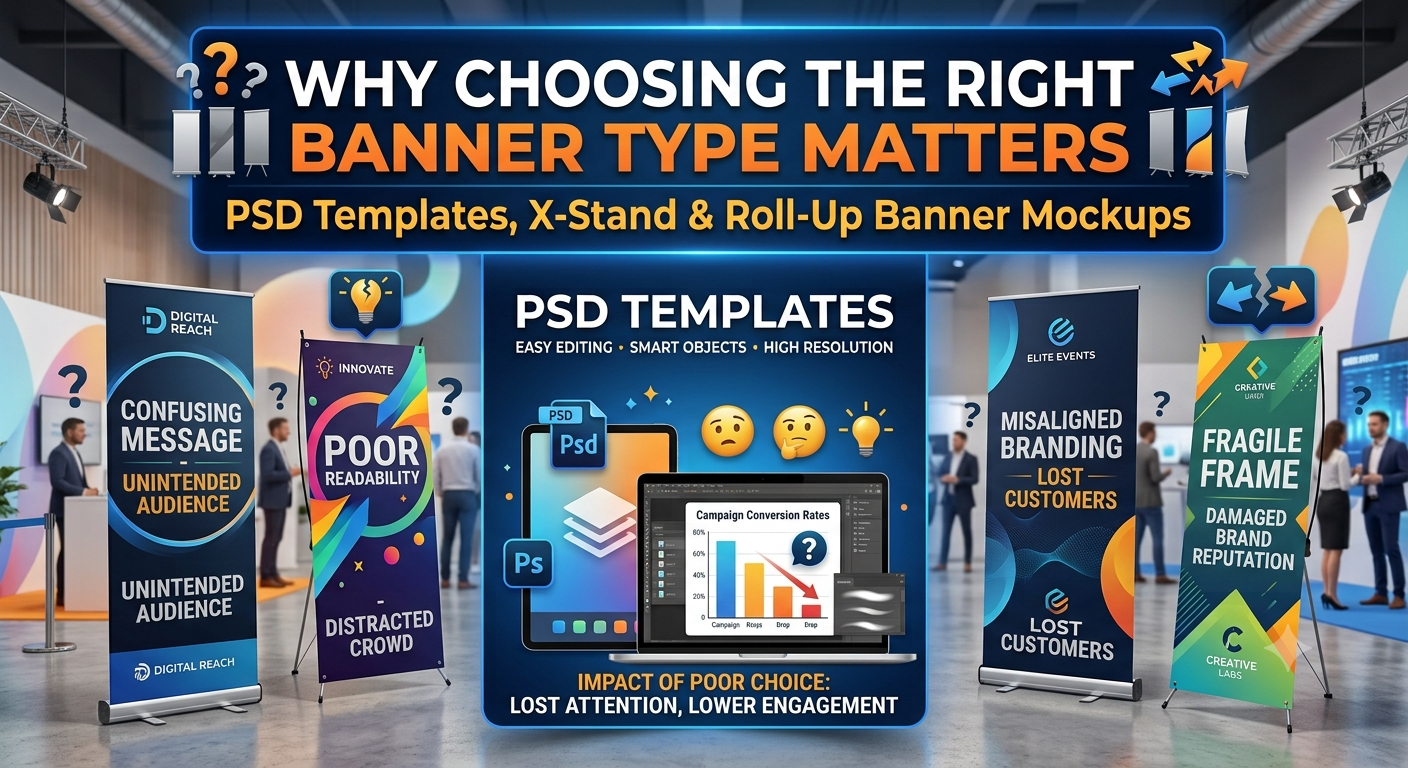
Why Choosing the Right Banner Type Matters
Not every banner fits every marketing objective.
A luxury retail brand may require an elegant Retail Display Mockup, while an event organizer may prefer an Exhibition Banner Mockup for showcasing booth graphics. Similarly, a company preparing for a conference might benefit from a sleek Trade Show Banner or an Indoor Advertising Display that highlights products and services in a professional setting.
Selecting the right format improves visibility, strengthens brand recognition, and ensures your message reaches the intended audience effectively. A thoughtfully chosen mockup also enhances your Banner Design Showcase, allowing clients to see how their graphics will perform in real-world scenarios rather than as flat digital artwork.
Professional Features That Make a Banner Mockup Stand Out
Choosing a banner mockup isn’t just about finding an attractive scene. The quality of the PSD file directly affects your workflow, editing speed, and the final presentation you deliver to clients.
A premium High-Resolution Mockup allows every detail—from typography to logos—to appear crisp and professional. Whether you’re designing for a small retail campaign or a nationwide advertising launch, high-quality mockups help ensure your presentation reflects the same standard as your design.
Let’s explore the features that separate an average mockup from one worth adding to your design library.
High Resolution and Print Accuracy
One of the first things professionals check before downloading a mockup is its resolution.
A premium PSD is typically designed as a 300 DPI document, ensuring it matches commercial print standards. While the mockup itself isn’t sent to the printer, working at print resolution allows designers to preview details accurately before final production.
Benefits include:
- Sharper typography
- Cleaner logos
- Better image quality
- More accurate scaling
- Professional portfolio visuals
A Print-Ready Banner begins with artwork created at the proper dimensions, and viewing it inside a realistic mockup helps catch design issues before they become expensive printing mistakes.
For agencies handling multiple client projects, high-resolution mockups also make it easier to reuse assets across presentations without sacrificing quality.
Why Adobe Photoshop Remains the Industry Standard
Although several design applications support mockups today, most professionals still rely on an Adobe Photoshop Mockup because of its flexibility and advanced editing capabilities.
Photoshop makes it possible to:
- Replace artwork instantly
- Edit colors non-destructively
- Modify shadows
- Adjust highlights
- Change backgrounds
- Add realistic textures
This workflow dramatically reduces production time compared to manually recreating realistic presentations.
Smart Objects: The Biggest Time Saver
If you’ve ever edited a premium mockup, you’ve probably worked with a Smart Object.
Instead of manually warping artwork to fit the banner, Smart Objects automate the process.
Here’s how it works:
- Double-click the Smart Object layer.
- Replace the placeholder artwork with your design.
- Save the Smart Object.
- Return to the main PSD.
- Your banner updates automatically.
This simple process allows designers to experiment with multiple concepts in minutes.
Whether you’re creating a Promotional Banner PSD or presenting branding options to a client, Smart Objects make revisions virtually effortless.
Organized Layers for Faster Editing
Professional mockups are built with Organized Layers, allowing designers to locate every editable element without digging through dozens of unnamed folders.
A well-structured PSD typically separates:
- Banner artwork
- Background
- Floor reflections
- Shadows
- Lighting
- Banner stand
- Accessories
This organization becomes especially valuable when working on tight deadlines.
Similarly, Smart Layers ensure every editable component remains non-destructive, meaning you can continue refining your presentation without affecting the original artwork.
Customizable Backgrounds for Different Industries
One of the biggest advantages of modern PSD mockups is flexibility.
Most premium templates include a fully Customizable Background, allowing designers to tailor presentations for different clients.
For example:
A luxury fashion brand might prefer a clean white studio.
A technology company may choose a modern office.
A startup could showcase banners inside a coworking space.
An educational institution might place banners in a university hallway.
Changing the environment helps clients better imagine the finished installation.
Adjustable Lighting Creates Realism
Lighting dramatically influences how premium a mockup feels.
The best PSD files include Adjustable Lighting Effects, allowing designers to brighten or darken scenes while maintaining realism.
This feature becomes particularly useful when matching a client’s brand aesthetic.
For example:
- Bright lighting for healthcare
- Warm lighting for hospitality
- Neutral lighting for corporate brands
- Dramatic lighting for luxury products
Subtle lighting adjustments can transform the mood of an entire presentation.
Realistic Shadows Add Depth
Without shadows, even the best artwork appears flat.
Professional PSD templates include Realistic Shadow Effects that interact naturally with the environment.
These shadows simulate:
- Floor contact
- Ambient lighting
- Banner depth
- Material thickness
Small details like these make a Photorealistic Mockup feel authentic instead of digitally assembled.
Clients may not consciously notice these elements, but they immediately recognize when something feels realistic.
How Businesses Use Stand Banner Mockups
Banner mockups aren’t limited to graphic designers.
Marketing teams, printing companies, advertising agencies, startups, and even freelancers rely on realistic presentations to communicate ideas more effectively.
Let’s explore common use cases.
Branding Presentations
When pitching a new identity, agencies often create a complete Branding Presentation instead of showing isolated logo files.
This presentation may include:
- Business cards
- Letterheads
- Packaging
- Signage
- Website previews
- Stand banners
Including a realistic banner instantly demonstrates how branding translates into physical marketing materials.
Product Launch Campaigns
Imagine introducing a new smartphone.
Instead of simply displaying product graphics, marketers create a complete Product Presentation Mockup showing banners positioned inside retail stores or exhibition spaces.
This helps stakeholders evaluate:
- Visual hierarchy
- Brand consistency
- Readability
- Promotional messaging
The result is faster approvals and stronger marketing campaigns.
Retail Promotions
Shopping centers frequently rely on banners to promote:
- Seasonal discounts
- New arrivals
- Limited-time offers
- Store openings
A realistic Retail Display Mockup helps retailers preview messaging before printing dozens of banners.
Design teams can quickly compare multiple layouts while maintaining consistent branding.
Trade Shows and Exhibitions
Few environments demand stronger visual communication than exhibitions.
Businesses compete for attention, making professional presentation essential.
An Exhibition Banner Mockup helps exhibitors visualize booth graphics before production.
Combined with a realistic Trade Show Banner, companies can ensure every design element remains readable from several feet away.
This is especially valuable when preparing large event branding packages.
Event Marketing
Conferences, seminars, product launches, and networking events all depend on high-quality promotional materials.
A realistic Event Branding Mockup enables organizers to preview sponsor banners, directional signage, and promotional displays before installation.
Instead of imagining the setup, everyone involved can see the complete environment in advance.
Corporate Offices
Many companies display promotional banners inside reception areas and meeting rooms.
A polished Corporate Branding Mockup helps internal teams evaluate how banners complement office interiors while reinforcing company identity.
These presentations are frequently used during brand refresh projects.
Commercial Advertising
Businesses promoting products in malls, airports, hotels, and convention centers often require large-scale banner systems.
A professional Commercial Display Mockup allows marketing teams to visualize campaigns before committing to production.
This reduces revisions while ensuring the artwork works effectively in real-world spaces.
Choosing the Right Banner Mockup for Your Project
Not every PSD template fits every purpose.
Before downloading a mockup, consider the following factors.
Match the Display Type
Choose the display system that reflects the real installation.
Examples include:
- Display Stand Mockup for retail promotions
- Vertical Signage Mockup for corporate interiors
- Signage Mockup for directional displays
- Advertising Banner Display for promotional campaigns
Using the correct display improves realism and client confidence.
Consider Viewing Angles
Premium templates often include multiple camera perspectives.
A Perspective View Mockup allows viewers to appreciate depth while showcasing how the banner interacts with surrounding space.
This is particularly useful for portfolio presentations.
Think About the Audience
A startup investor presentation may require a clean minimalist environment.
A restaurant promotion benefits from warmer lighting.
A luxury brand often prefers subtle shadows and premium materials.
Selecting the right scene helps communicate the intended brand personality.
Showcase the Design Professionally
Ultimately, your mockup should enhance—not distract from—your design.
A clean Banner Presentation Template keeps the focus on typography, imagery, and branding while adding enough realism to make the concept believable.
Whether you’re preparing a Marketing Display Mockup, creating a Graphic Design Mockup for your portfolio, or building a Brand Identity Presentation, choosing the right PSD template can significantly improve how clients perceive your work.
Best Practices for Creating Stunning Stand Banner Mockups
Creating a beautiful banner design is only half the job. The way you present that design often determines whether a client approves it, whether a portfolio attracts new customers, or whether a marketing campaign makes the right first impression.
Professional designers know that a realistic presentation adds credibility. Instead of showing a flat design file, they use carefully selected mockups to demonstrate how the banner will appear in a real-world environment.
Here are some proven best practices to help you create presentations that stand out.
Choose the Right Environment
A banner mockup should complement the purpose of the design.
For example:
- Corporate announcements look best inside modern office spaces.
- Retail promotions fit naturally inside shopping malls.
- Restaurant banners work well in café interiors.
- Technology brands often prefer minimalist studio backgrounds.
- Educational institutions benefit from campus or classroom scenes.
Matching the environment to the intended audience makes the presentation feel authentic and believable.
Keep Branding Consistent
Consistency builds trust.
Ensure that every element—including colors, fonts, logos, icons, and imagery—matches the client’s existing brand guidelines.
A realistic banner should seamlessly fit within the company’s overall marketing materials.
Consistency across brochures, websites, social media graphics, and banners creates a stronger visual identity.
Use High-Quality Artwork
Even the best mockup cannot improve a poor-quality design.
Always use:
- Vector logos
- High-resolution images
- Proper typography hierarchy
- Print-ready artwork
- Correct bleed and safe margins
Sharp artwork ensures that every Realistic Banner Display looks polished from every viewing distance.
Focus on Readability
Most banners are viewed from several feet away.
Keep these principles in mind:
- Large headlines
- Minimal text
- High color contrast
- Clear call-to-action
- Plenty of white space
Avoid cluttering the banner with excessive information.
A clean layout almost always performs better than a crowded design.
Build Multiple Presentation Scenes
Instead of showing only one angle, consider presenting several environments.
For example:
- Office lobby
- Trade show booth
- Retail entrance
- Exhibition hall
- Shopping mall
Using a Mockup Scene Creator allows designers to build multiple realistic scenes while reusing the same banner artwork.
Clients appreciate seeing how their design adapts to different settings.
Common Mistakes to Avoid
Even experienced designers occasionally make mistakes when presenting banner concepts.
Avoid these common issues.
Using Low-Resolution Artwork
Blurry graphics immediately reduce professionalism.
Always work with high-resolution source files.
Choosing Unrealistic Mockups
A luxury hotel banner shouldn’t appear inside an industrial warehouse unless that environment supports the campaign.
Choose scenes that match the target audience.
Ignoring Scale
Some designers accidentally place oversized logos or tiny headlines on banners.
Preview the design at actual size before final approval.
Overusing Effects
Heavy shadows, excessive reflections, or unrealistic lighting often distract from the artwork.
Less is usually more.
Forgetting Client Branding
Double-check:
- Brand colors
- Logo placement
- Typography
- Image style
- Messaging
Consistency strengthens brand recognition.
Who Should Use Stand Banner Mockups?
Professional banner mockups benefit almost every creative industry.
They’re especially useful for:
- Graphic designers
- Branding agencies
- Marketing teams
- Advertising agencies
- Print shops
- Freelancers
- Corporate communication teams
- Event organizers
- Exhibition companies
- Retail businesses
- Educational institutions
- Startup founders
- Product marketers
Whether you’re pitching a concept or preparing files for production, realistic mockups improve communication and reduce costly revisions.
FAQ: Stand banner mockup
1. What is a Stand Banner Mockup?
A Stand Banner Mockup is a realistic PSD template that displays a banner design on a physical stand, allowing designers to preview and present artwork before printing.
2. What’s the difference between an X-Stand and a Roll-Up Banner?
An X-Stand uses a lightweight X-shaped frame, while a Roll-Up Banner retracts into a metal base, making it easier to transport and store.
3. Why are Smart Objects useful?
Smart Objects allow you to replace banner artwork with just a few clicks while preserving perspective, lighting, and realistic effects automatically.
4. Can beginners use PSD banner mockups?
Absolutely.
Most modern PSD templates include organized layers and Smart Objects that make editing simple, even for beginners.
5. Do I need Adobe Photoshop?
Most premium banner mockups are designed for Adobe Photoshop because it supports Smart Objects, editable layers, and advanced customization.
6. What resolution should I choose?
A high-resolution PSD with 300 DPI provides the best preview quality and closely matches commercial printing standards.
7. Are banner mockups only for designers?
No.
Marketing agencies, print companies, business owners, startups, and event planners also use mockups to visualize advertising materials before production.
8. Can I customize the background?
Yes.
Many premium PSD templates include editable backgrounds, lighting, and shadow settings for different presentation styles.
9. Are stand banner mockups suitable for portfolios?
Definitely.
Showing designs inside realistic environments helps clients better understand your work and often increases project inquiries.
10. Which banner type is best for exhibitions?
Retractable and roll-up banners are among the most popular choices because they’re portable, durable, and easy to assemble during exhibitions.
11. Can I use banner mockups for client presentations?
Yes. Professional mockups allow clients to visualize the final printed product before production, leading to faster approvals and fewer revisions.
12. What should I look for in a premium PSD mockup?
Look for Smart Objects, organized layers, high resolution, editable backgrounds, realistic lighting, multiple perspectives, and fully customizable elements.
Conclusion
A professional Stand Banner Mockup is much more than a simple presentation tool—it bridges the gap between imagination and reality. Whether you’re showcasing an X-Stand Banner Mockup, a Roll-Up Banner Mockup, or a Standee Mockup, realistic PSD templates help clients visualize the final product with confidence before it goes to print.
Throughout this guide, we’ve explored the different types of banner mockups, essential features such as Layered PSD, Smart Object, Smart Layers, and Editable PSD Template, as well as the importance of working with High-Resolution Mockups at 300 DPI. We’ve also covered how professionals use Branding Presentations, Marketing Display Mockups, Corporate Branding Mockups, Display Stand Mockups, Perspective View Mockups, Commercial Display Mockups, and Graphic Design Mockups to create compelling visual experiences.
Whether you’re designing a Trade Show Banner, an Indoor Advertising Display, a Retail Display Mockup, a Vertical Signage Mockup, or an Exhibition Display Mockup, choosing the right Professional Mockup Template can dramatically improve the impact of your work. Features like Customizable Backgrounds, Realistic Shadow Effects, Adjustable Lighting Effects, and a Photorealistic Mockup ensure your presentations look polished and convincing.
The best designers don’t simply create attractive graphics—they tell a visual story. By combining a thoughtfully crafted Editable Banner Design with a high-quality Promotional Display Mockup, Banner Presentation Template, or Product Presentation Mockup, you can deliver presentations that inspire confidence, speed up approvals, and elevate your professional portfolio.
As you continue building your design library, invest in premium PSD Mockup Templates that support flexible editing and realistic presentations. The right mockup not only showcases your creativity but also helps transform great ideas into successful marketing campaigns, memorable brand experiences, and lasting client relationships.